All guidesChecklistArtwork, releases and live shows
How to release music: a checklist for your next release.
Use this music release checklist to give each task an owner and a deadline, then build a timeline around your distributor and service requirements. Keep the final files with the plan and adjust it as the record takes shape.
On this page
Choose a date after checking the dependencies
List what has to happen before the release can go live: the approved mix, mastering, artwork, accurate song details and delivery through your distributor. Check that distributor’s current processing times and any service deadlines you intend to meet. Allow time to correct a file or a rejected submission.
Work backward from the chosen date. Give each task a due date and a person responsible, including decisions that are waiting on a bandmate, engineer or designer. Keep “uploaded” and “accepted” as separate steps so a successful upload does not get mistaken for a confirmed release.
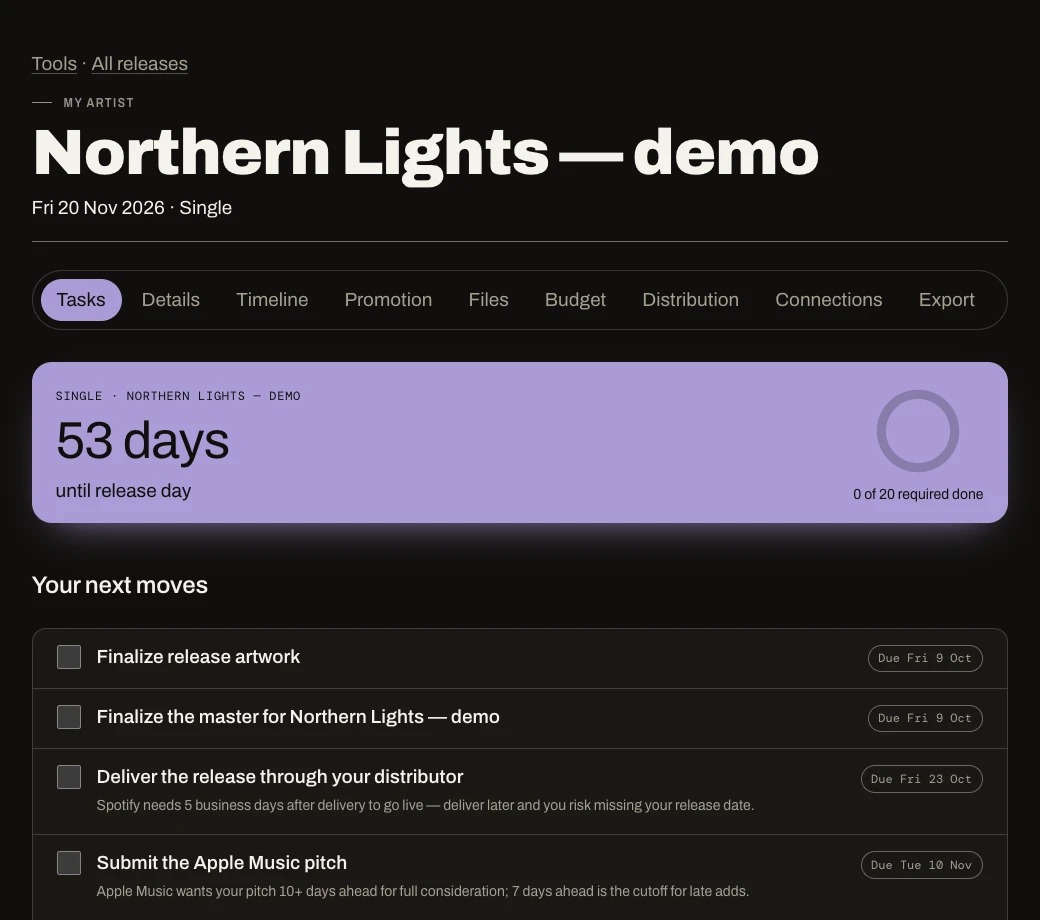
In the music release planner, create a Single, EP or Album, choose the date and review the dated checklist. Add your own tasks for this release. If the date moves, review the revised deadlines and anything already submitted elsewhere.
The checklist on this page, on one sheet
Print it, give every line an owner and a date.
01Choose a workable date
| Done | Task | Owner | Due |
|---|---|---|---|
02Prepare the release
| Done | Task | Owner | Due |
|---|---|---|---|
03Delivery and promotion
| Done | Task | Owner | Due |
|---|---|---|---|
| Pitch the unreleased song to Spotify for followers’ Release Radar Spotify: at least 7 days before release. Not a promise of editorial placement. | 7 days before | ||
04Launch and follow-up
| Done | Task | Owner | Due |
|---|---|---|---|
Keep “uploaded” and “accepted” as separate steps. Changing a date in a planner does not change it at your distributor or other services.
Prepare the audio, cover and song details together
Use the loudness checker for measurements and the matched-level comparison tool when choosing between masters. Keep listening decisions and meter readings in context. Our export guide covers preparing the mix before mastering; your distributor’s requirements govern the delivered master.
Track delivery and promotion as separate work
Submit through your distributor, then confirm that the release details and delivery status are correct. Keep the confirmation or reference with the plan. Preparation drafts in the planner help organize what you intend to send; they are not submitted to services automatically.
If Spotify pitching is part of your plan, Spotify’s pitching guidance says to pitch an unreleased song at least 7 days before release for inclusion in your followers’ Release Radar. That is a platform-specific deadline, not a promise of editorial placement or a complete distribution schedule.
Plan the promotion you can actually carry out: a release announcement, artwork reveal, a clip or performance, and outreach to relevant contacts. Attach a due date and owner to each piece. Check the music links before publishing and keep the approved wording with the release.
Update the distributor and any external submissions as needed, then revise the plan, calendar and scheduled posts. Changing a date in the planner does not change it at those services.
Make launch checks part of the checklist
On release day, open the listening links and check the correct artist, cover, title and audio. Publish the announcements you prepared, respond to people who engage, and record any corrections that still need attention.
Keep a follow-up task for registration or reporting work that applies to your music, and review the actual costs against your plan. Note what was late or missing while the experience is still fresh, then use that information for the next release.
Your first release is free to plan. Unlimited adds planning every release, file references, calendar and JSON exports, and supported service checks. JSON exports contain records and references; they do not bundle linked files or audio. Release manager keeps the work organized while submissions remain with your distributor and the relevant services.
Sources quoted on this page
Every outside document this guide links to, in the order it first appears.
- Spotify’s pitching guidancesupport.spotify.com