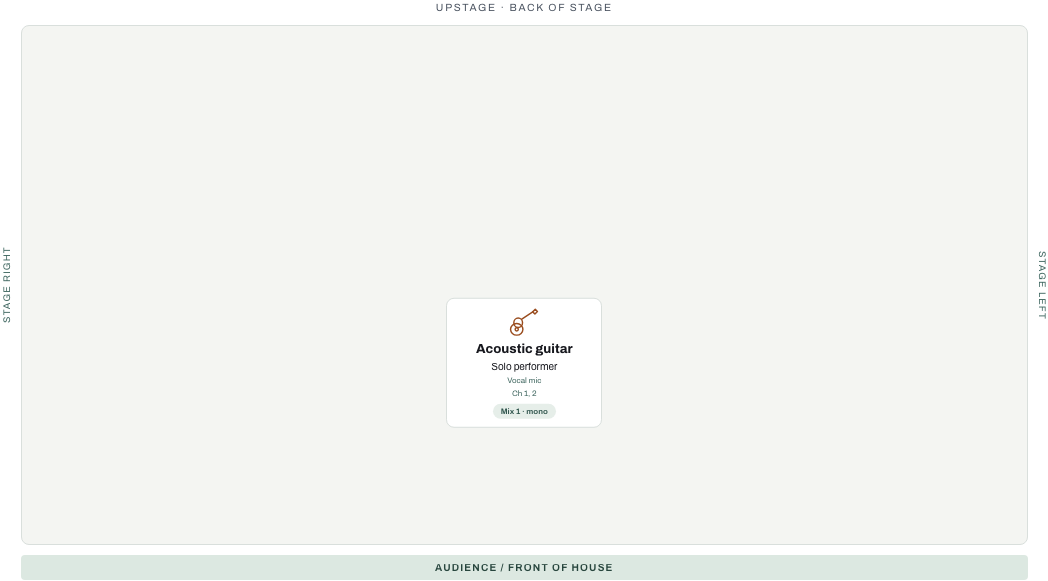
Solo acoustic
- 1 player
- 2 inputs
- 1 mix · 1 bus
A vocal and an acoustic DI feed a single wedge. Confirm the pickup output and who supplies the DI.
Channel order · 1. Vocal · 2. Acoustic guitar
Free stage plot templates for rigs from a solo acoustic set to a six-piece wedding band, each with Letter and A4 PDFs, an editable input list and a diagram. No account needed.
Five starters, each with its diagram, its channel order and the files you can open without an account.
A vocal and an acoustic DI feed a single wedge. Confirm the pickup output and who supplies the DI.
Channel order · 1. Vocal · 2. Acoustic guitar
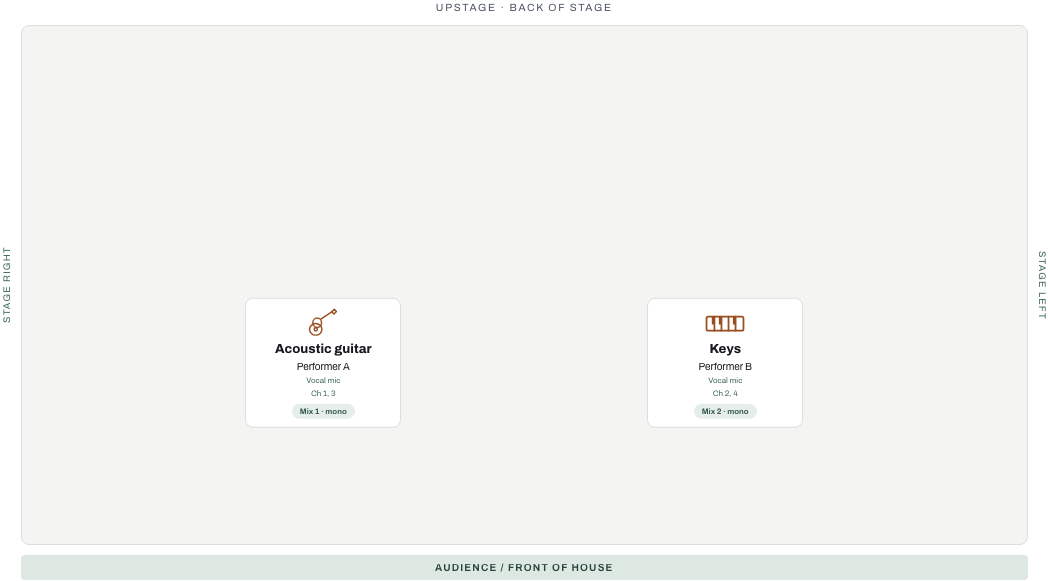
Separate vocal channels and wedge mixes let each performer ask for their own balance. This example uses mono keys; check the correct output.
Channel order · 1. Vocal A · 2. Vocal B · 3. Acoustic guitar · 4. Keys mono
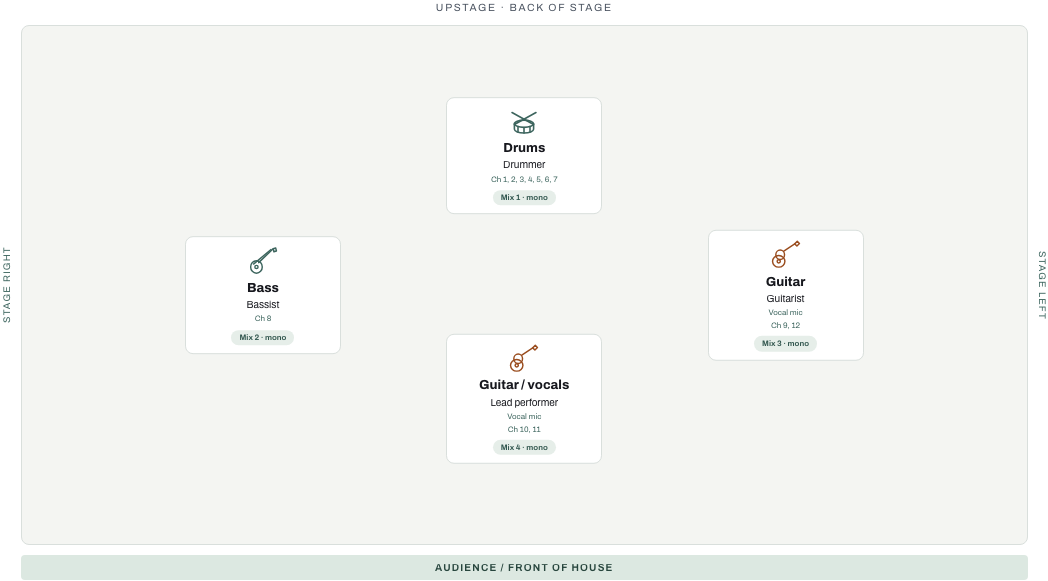
A miked drum kit, bass DI, guitar amps and vocal channels need an agreed microphone and stand inventory. Overheads stay adjacent as a linked stereo pair.
Channel order · 1. Kick · 2. Snare · 3. Hi-hat · 4. Rack tom · 5. Floor tom · 6. Overhead L · 7. Overhead R · 8. Bass DI · 9. Guitar amp · 10. Lead guitar amp · 11. Lead vocal · 12. Backing vocal
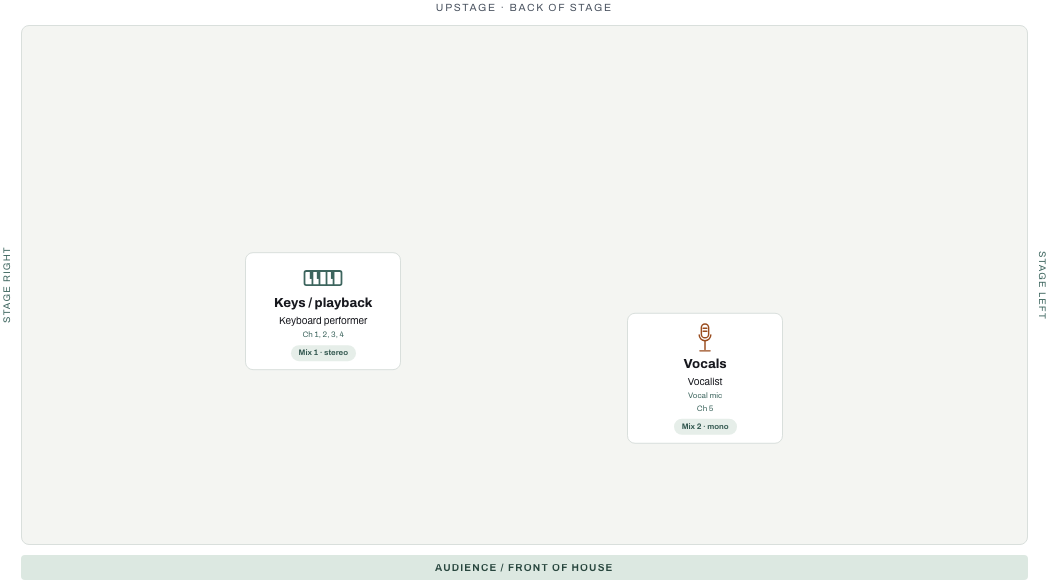
Keep left/right keyboard and playback channels adjacent. This example has a stereo IEM bus and a vocal wedge. Add click separately when required; keep it out of front-of-house.
Channel order · 1. Keys L · 2. Keys R · 3. Playback L · 4. Playback R · 5. Vocal
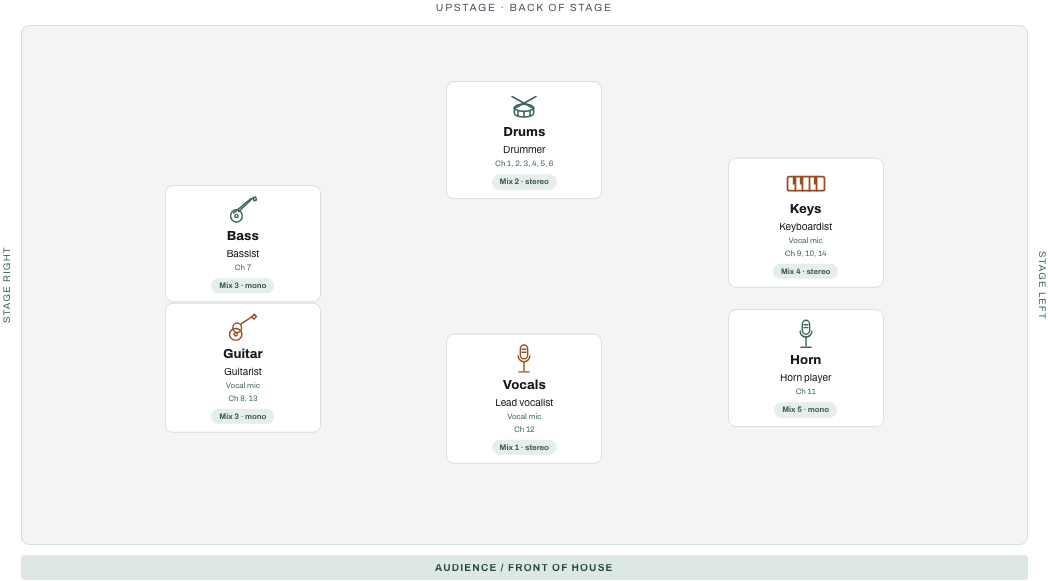
Multiple stereo IEM buses coexist with shared wedges. Confirm aux-output capacity, ceremony coverage, speeches and playback separately from the band input list.
Channel order · 1. Kick · 2. Snare · 3. Rack tom · 4. Floor tom · 5. Overhead L · 6. Overhead R · 7. Bass DI · 8. Guitar amp · 9. Keys L · 10. Keys R · 11. Horn · 12. Lead vocal · 13. Guitar vocal · 14. Keys vocal
Print clean stage and rehearsal documents without a subscription. Live Show Plus combines saved stage variants, repertoire, setlists, frozen show packs and venue links.
Sign in to save an editable starter plot and an editable starter show across your account. Live Show Plus adds saved variants and venue links for $5/month or $29/year, and Unlimited includes it. Mastering and paid Release manager features use their own access.
Start with the matching example, then confirm the plot and input list with the crew. Compare free starters and Unlimited’s show tools. Working on a release too? Preview the full automatic master for free.


